
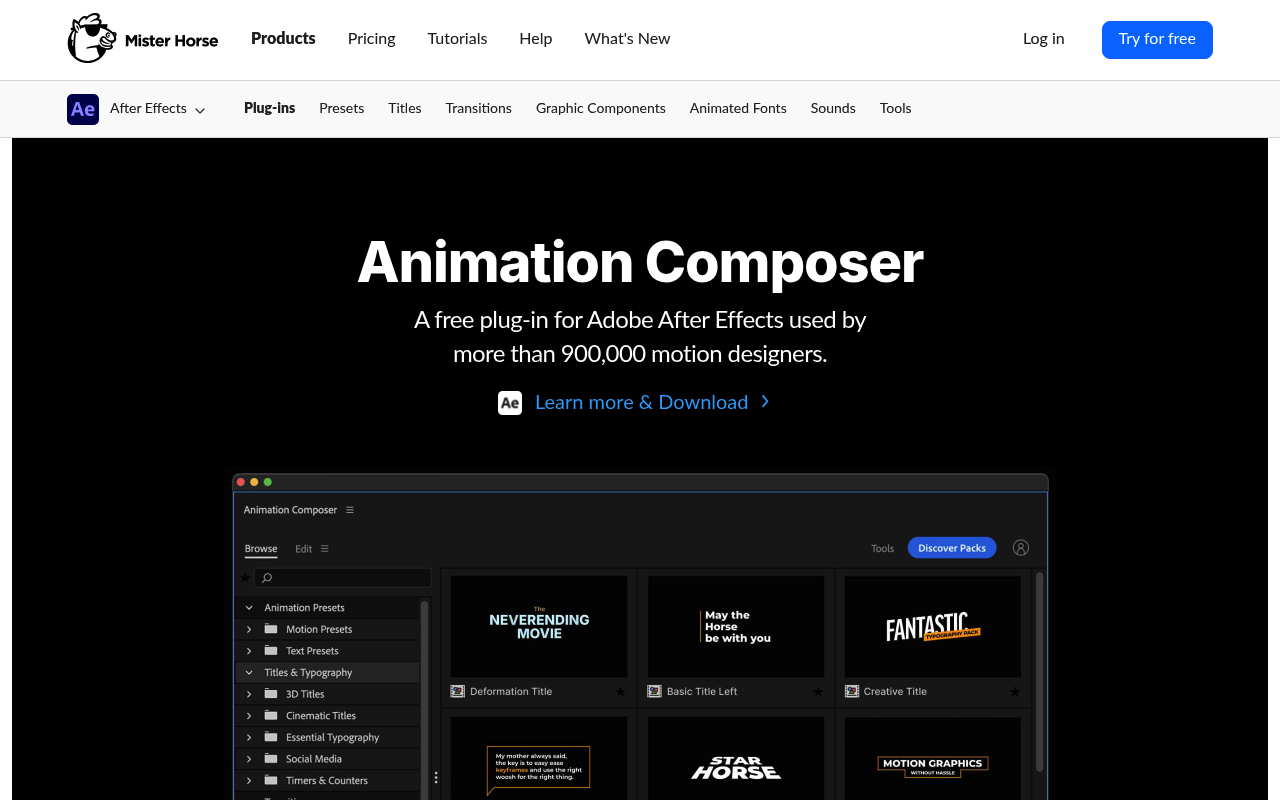
What It Does
Animation Composer puts a browsable library of motion presets directly inside After Effects. Instead of keyframing lower thirds or transitions from scratch, you hover over a grid of presets, watch them play in real time, and click to apply. Elements drop in non-destructively, so you can swap or remove them without touching the rest of your comp.
The base version covers transitions, text animations, sound effects, bullet lists, timers, and cinematic titles. Everything scales to your comp settings automatically, and a separate Edit tab lets you adjust colors, timing, and font without leaving the panel.
Key Features
Live hover previews. Every preset in the grid plays a video preview on hover, frame by frame. You see exactly what you’re getting before applying anything, which makes browsing fast even with hundreds of items installed.
Non-destructive application. Presets are added as separate layers, so you can delete or replace them at any point. Nothing gets baked into your existing layers.
Edit tab. Each preset exposes its own set of controls (color pickers, timing sliders, font selection) in a dedicated tab. You don’t need to dig into the layer stack to make adjustments.
Expansion packs. The free base plugin supports add-on packs from Mister Horse: Filmmaker’s Transitions, Shape Elements, Essential Sound Effects, and others. Each pack installs into the same interface and browses the same way.
User library. You can save your own presets or import content from other Mister Horse tools, keeping custom assets alongside the built-in library.
Font picker and audio pitch shifting. The Tools panel includes a font browser that filters installed fonts and a pitch control for sound effects, small but genuinely useful for quick customization.
Who It’s For
Freelancers and small studios doing high-volume work (social content, explainer videos, broadcast packages) get the most out of Animation Composer. If you’re rebuilding the same lower thirds or callouts on every project, the preset library cuts that time significantly.
Beginners also benefit: the presets are well-made enough to use in client work, and they’re fully editable, so you can reverse-engineer how animations are built. It’s less suited to large teams with their own asset pipelines, where a shared preset system would be more appropriate.
Pricing
Animation Composer is free to download and includes the core library. Expansion packs are sold separately with one-time pricing:
- Essential Sound Effects: $99
- Shape Elements: $69
- Motion Designer’s Bundle: $299 (multiple extensions bundled, normally $444 individually)
No subscriptions. Licenses cover unlimited projects and don’t expire. The free version is genuinely usable on its own. The paid packs make sense once you know the workflow fits you.
